June 18, 2014
Dear friends,
The monthly “How We Be†seems to have morphed into a quarterly “We’re still here.†We’re busy a lot of the time, but with stuff that belongs in Grandma’s Brag Book. For that, we count our blessings but spare our friends. Myself, I have developed a deep respect for the uneventful life.
We’re eating tomatoes, cukes and pan patty squash from the tiny garden I planted in the flowerbed. Makes me very happy to have finally gotten the hang of it: Harvest in June, NOT plant in June. Everything will be done, plant shops all but shut down come mid-July. Texans take a couple of months indoors every July and August, while most of you do the same in the winter.
Dave doesn’t mind the heat at all. I don’t mind it too much but find that the sun is not my friend anymore. Dave has ridden a few bike rides around north Texas. He and Jason are signed up for the Peach Pedal next month in Weatherford (NW of us). He rides with friends or the Rusty Chain Gang three days a week and pedals to the library, etc. G’Pa’s Taxi is taking Becca to play rehearsal every day and trying to talk her into riding a bike. So far, no go. He doesn’t mind taking her, but is just pro-bike!
I am okayed to substitute teach next year. My long term sub job this spring was very, very hard, but very rewarding. I had never heard of EBD (emotional behavior disorder) before I started subbing. Imagine a 10 year old who has tantrums like a 2 year old (only worse because he’s bigger) when he doesn’t get his way or is unable to do something, like win a computer game. Total meltdown. Screaming, hitting, self infliction of pain, throwing things, etc. These kids are non-compliant, disrespectful, very poor impulse control and strong and violent when forced to move out of the classroom.
Some of these kids are very bright, but they don’t want to do school work. They are verbal, physically fit, and appear normal until you ask them to do something. There are about 5 or 6 classes like this, for severe behavior problems, in the district. I just work with elementary, intermediate, or middle school kids. The high school kids are too strong for me.
Most days I came home and Dave would ask how can public schools be expected to deal with these kids? Texas law says every child is entitled to a free education. Most of these kids have been in a psychiatric setting for an 8 to 13 week in-patient session. Few of them live with their biological parents. Every one of them, each in his/her own way, is a mess. Our goal is to teach them to read and do simple arithmetic, to learn to be a good citizen, and to control their meltdowns. Nobody knows how they got the way they are; we just want to set them up for a chance at a successful life.
I witnessed a really rewarding change in one 4th grade boy this spring. He is a gifted child, born in the middle east and dealing with extreme culture conflict in addition to EBD. Last year he addressed his teacher, “Hey, Woman!†This year he has been unable to participate in any field trips because as the day approached, his behavior got worse and worse. He sabotaged himself! This spring, we worked hard to figure out what he was afraid of in the upcoming field trip to Hawaiian Falls. He really wanted to go.
Day after day we discussed things the way they would go on the trip, and finally realized he had a conflict with the modesty he is taught in his culture and getting into his swim suit. Voila! We gave him the answer and he showed up in long shorts over a long swim suit, and two T shirts. We hooked him up with a buddy whose Dad was on the trip, and they checked out the restrooms and changing rooms as soon as they got there. And this kid had a ball. He has never been to the places we take our kids to from an early age, so he couldn’t imagine how it was going to work. It was a proud day!
Some of the classes I work in are kids with birth trauma, or somewhere on the autism scale. A lot of kids with autism are mostly mainstreamed. Another class is a life skills class for kids with severe mental and physical disabilities; a class involving lots of lifting, diaper changing and feeding. This school district has 53 schools and every one has some kind of special ed class. Kids are grouped by disability and bussed to the appropriate class. I could work every day if I wanted to; there are always openings for paraprofessionals, because there are so many paras in each class. I get paid $5 less than a certified teacher. I don’t really know why I like these classes — they’re so hard — but I do. I love the kids and seem to have a way with them.
We’ll keep you posted on the state of Texas politics. It really doesn’t look like Governor Good Hair is going to run, but Ted Cruz is already running hard. It could get scary.
Here in Arlington, the big issue is “Why can’t we take our guns into the city council meetings to discuss a vote on open-carry in bars?†What can you say to that …? The slogan of the open-carry group is “An armed society is a polite society.â€
We’re looking forward to a low key, laid back summer. We think of you often, especially when we let the dog out back at 10 PM and bask in the 78 degrees with a breeze. Our low is quite often your high, temperaturely speaking.
Love,
Sam
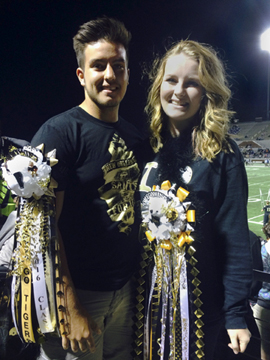
P.S. Susie graduated with 465 other seniors at Mansfield High School. The ceremony was held at the largest Performing Arts Center the school district has – it holds over 5,000. Here’s a look at the parking lot after it was all over, taken by Jason.


 Yesterday was pretty crazy trying to get here from Sydney… The plan was to fly from Sydney to Brisbane and then from Brisbane to Gladstone. But because of traffic in Sydney I missed my flights for the first time ever (and hopefully the only time ever lol)… Because when I missed my first flight it put me behind and made me miss my connecting flight to Gladstone. :/ So a couple hours and a few hundred dollars later, I finally was on my way to Brisbane to spend the night with a wonderful friend and then catch an early flight to Gladstone the next morning (today). Here’s a photo of Sydney Harbour from the air.
 When I got to Brissy, I was already positively knackered.. but I still had to train to meet up with my friend. Which again took hours.. We finally pulled into the house around 9:30pm and after a bath and some supper I was sleeping like the dead. 🙂

 After we had a great dinner with chocolate mousse for dessert and I can officially say we’ve had a damn good first day here at the Heron Island Research Station!